Command An Army Maps: Understanding Battlefields and Objectives
Discover how maps function in Command An Army, from objective structures to terrain-based strategies for your next Roblox battlefield victory.
Published: Command An Army Wiki Editorial Team
Video Guide
THEY ADDED NEW MAP AND UNITS!🐎🔥(Command an Army Update 3)Table of Contents
How Command An Army Map Mechanics Work
In Command An Army on Roblox, the battlefield is the stage for a consistent objective-based mode rather than a collection of named, unique locations. The game consistently features two armies of up to 12 player commanders fighting over lettered capture points.
According to community-verified mechanics, the core loop is strictly attack versus defense. One side pushes to seize objectives, while the other attempts to hold them. A crucial aspect of this system is that capture progress only banks when the point is uncontested. This creates a strategic layer where simply being present on a point—even if you are losing the engagement—is often the correct play to stall the enemy and allow your reinforcements to arrive.
Identifying Battlefield Shapes
While the developer has not officially named specific maps, the gameplay is built upon two distinct terrain types identifiable through store screenshots and developer previews. Understanding these shapes is essential for choosing the right units from your roster:
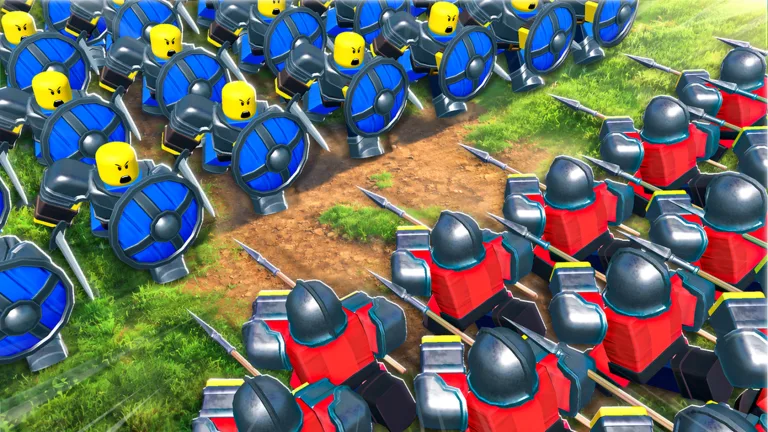
The Open Field: This is the classic meeting engagement. It features wide-open green ground between two facing lines. This layout provides the necessary space for cavalry to execute flanks and allows ranged units to utilize long sightlines.
The Built-up Push: These maps often feature fortifications, such as wooden forts, towers, and gates. The geography here is restrictive, funneling attackers into predictable lanes. These maps turn the game into a siege, where holding the choke point with a dense shield wall is the primary defensive strategy.
Strategic Adjustments Based on Terrain
Your unit composition and formation choices should shift based on the battlefield's geometry. Community reports suggest that failing to adapt to these shapes is a common mistake for newer players.
Leverage Open Ground for Mobility: If the map is wide, prioritize your cavalry and fast-moving units. If you find yourself in tight terrain, remember that the game includes a dismount order, allowing you to transition your mounted units into infantry for better control in cramped spaces.
Holding Built-up Areas: When fighting near walls or gates, shields become your most valuable asset. Place your shield units at the chokepoint and position your archers directly behind them. Following the recent range adjustments, archers now need to be positioned closer to the front line than they were at launch, making protection from your shield wall even more critical.
Why Map Names Are Not Listed
You may notice a lack of specific map names in official resources or wikis. This is because the developer has not officially published a map list. While community members may use nicknames in videos or Discord discussions, these are unofficial.
Official documentation, such as the Command An Army Roblox page, focuses entirely on the mechanics of the 12-player server and the objective structure. As of October 2026, even major updates—including the recent Mongol-themed content—have not introduced official map nomenclature. Always rely on the game's official patch notes to confirm if a new map has been added, rather than community rumors.
FAQ
Does the kill count matter for winning?
No. The win condition is entirely based on capturing and holding the lettered points. Focusing on kills while leaving points uncontested is a common strategic error.
How do I reposition my army quickly?
Use the 'C' keybind to make your entire army follow you. This is essential for moving your force between capture points without leaving units scattered across the map.
Are there different modes for different maps?
No, the objective structure is constant across all battlefields. Whether you are in an open field or a fort, the goal remains capturing the lettered points in sequence.