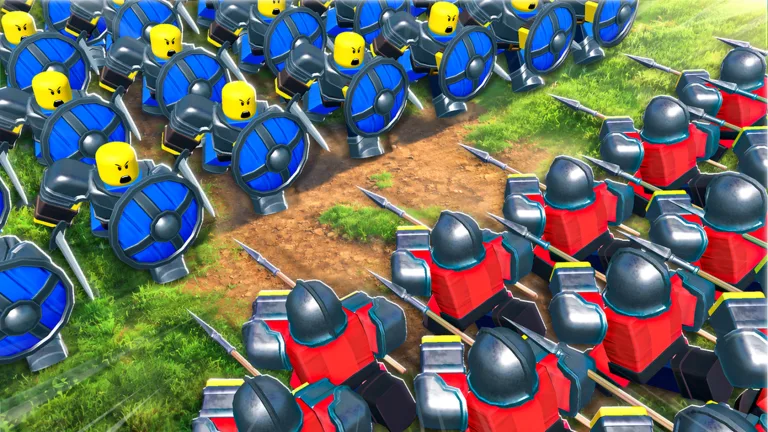
How to Use Command An Army Below Level 10 Servers for Faster Leveling
Learn how to utilize 'Below Level 10' servers in Command An Army to grind XP, level up units efficiently, and evolve your army faster.
Published: Command An Army Wiki Editorial Team
Video Guide
BEST LEVELING GUIDE In Command An ArmyTable of Contents
Leveraging Below Level 10 Servers for XP Grinding
In Command An Army, leveling up units can be an incredibly slow process if you jump straight into competitive PVP matches. Experienced players often utilize "Below Level 10" servers or seek out low-population public servers to create a "grinding environment." The primary goal is to face weaker opposition or simply have the map to yourself, allowing you to farm kills without being interrupted by high-level players who might wipe your army before you can gain any experience.
To maximize your time in these servers, consider the following community-recommended setup:
Adjust Visibility: Go to your game settings and turn visibility off. This prevents friends from accidentally joining your server and disrupting your grinding session.
Empty Server Priority: If a "Below Level 10" server is unavailable, look for servers with the lowest player count possible. Ideally, you want to be alone or with one other person who is also AFK or not actively hunting you.
The Alt Account Strategy: If you have access to an alt account, you can use it to occupy a slot in the opposing team, ensuring the server stays relatively quiet while you farm XP.
Optimal Combat Strategies for Leveling
The most common mistake new players make is charging their units head-first into enemy lines. In Command An Army, your units are fragile, especially when they are at a low level. If you attack first, your units will often take the brunt of the damage, die quickly, and net you zero XP.
Follow this "NPC-first" strategy to keep your units alive and gaining experience:
Wait for the NPCs: Let your AI-controlled NPC units engage the enemy first. They act as a meat shield, soaking up incoming damage.
Strike at the Right Moment: Once the enemy units are distracted and engaged with your NPCs, move your units in to land the final blows. This secures the kill and the associated XP for your specific unit.
Group Up: Don’t isolate your units. Stay close to your NPC groups. If you find yourself outnumbered or your units are taking damage, retreat and wait for the next wave of NPCs to spawn.
Use "Rush" Abilities: If you are using units like the Scout Rider, utilize the "Rush" ability frequently. It increases speed and damage output, helping you secure kills faster before the enemy can react.
Choosing the Right Map for Efficiency
Not all maps are created equal when it comes to grinding. While you might be tempted to play whatever map pops up, seasoned players suggest being selective to save time.
The Best Choice: Plains: This is widely considered the best map for leveling. It is open, making it easy to track enemy movements and ensure your units aren't getting stuck behind walls or narrow corridors. The spawn points and camp locations are also optimal for continuous combat.
Maps to Avoid: Avoid "Castle" or "Fortress" maps for grinding. These maps often feature doors or choke points that you have to wait to open. If you enter these areas without your NPC support, your units will be decimated instantly. The pacing is much slower, and you will likely earn significantly fewer kills per minute compared to the Plains.
Why Evolving Units is Essential
The ultimate goal of grinding in these lower-level servers is to evolve your units. Many of the most powerful units in the game, such as the Lancer (which evolves from the Scout Rider), are not available at the start.
Evolution Benefits: Evolved units have higher stats and are much more capable of surviving in standard PVP matches.
The Cycle: You will find that leveling up base-tier units is a grind. However, once you evolve a unit, it becomes significantly stronger, which in turn makes it easier to get kills and level up even faster.
Focus on the Goal: Don't get discouraged by the initial difficulty. Once you manage to evolve your first few units, the game shifts from a difficult grind to a more enjoyable PVP experience where you can actually hold your own against other players.
By consistently using low-level or empty servers to follow these grinding strategies, you can bypass the frustration of early-game weakness and build a formidable army ready for the competitive scene.