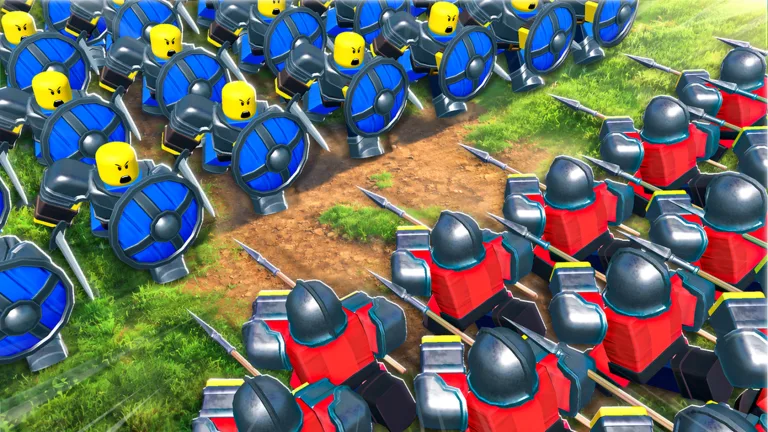
Understanding Unit Management in Command An Army
In Command An Army on Roblox, effectively managing your forces is the key to victory. While players often look for a "favorite" feature to pin specific units, the game's current mechanics prioritize a loadout-based approach. You manage your army by selecting units in the 'Units' section, which dictates who you take into battle.
Because your deployment is limited by a star-based cap in the early stages, "favoring" a unit is effectively done by ensuring they are equipped in your active roster. As you level up, this star limit increases, allowing you to bring more powerful or numerous units into the fray.
How to Acquire and Equip Your Best Units
To build a winning army, you must first obtain a diverse roster of fighters. The primary method for this is the summon system located in the game's lobby.
- Summoning: Visit the 'summons' area and hold 'open summons'. You can choose between 'summon x1' or 'summon x10' depending on your gem count.
- Equipping: Once you have obtained new units, navigate to the 'Units' menu. Here, you can view your collection and equip the ones that best fit your current tactical needs.
- Evolution: If you find yourself with too many common units, use the Evolution tab. This allows you to combine one- and two-star fighters to create higher-tier units, which is often more cost-effective than relying solely on luck in the summon shop.
Tactical Unit Selection and Meta Advice
Choosing the right units depends heavily on the current meta and the specific map you are playing. According to community reports and experienced players, S-tier units like the Samurai, Lancer, and Flame Archer are currently highly valued for their specific roles in breaking shields or dealing massive charge damage.
- Shield Breaking: Units like the Mace or Imperial Halberdier are essential when facing defensive compositions.
- Tanking: If you need to hold a position, units like the Imperial Wall are considered superior to others due to their high shield HP and total damage potential.
- Flexibility: Always consider the map layout. For example, horse archers may be highly effective on open plains but struggle on tight, castle-based maps where mobility is restricted.
FAQ: Common Questions About Army Composition
Can I save specific unit loadouts?
Currently, the game requires you to manage your active units manually through the menu. There is no automated "favorite" loadout system, so be sure to check your squad before entering a ranked match.
How do I increase my army size?
Your army limit is tied to your player level. By consistently playing matches and earning experience, your star limit will naturally increase, allowing you to field more powerful units simultaneously.
Why are my units dying so quickly?
If your units are falling too fast, you may be using them in roles they aren't suited for. For instance, high-DPS units like the Berserker or Immortals have low armor and need to be protected by tanks like the Imperial Wall or Spartan to reach their full potential. Always pair your damage dealers with a front-line shield unit.
For the latest updates and to join the community, you can visit the official Command An Army Roblox page.