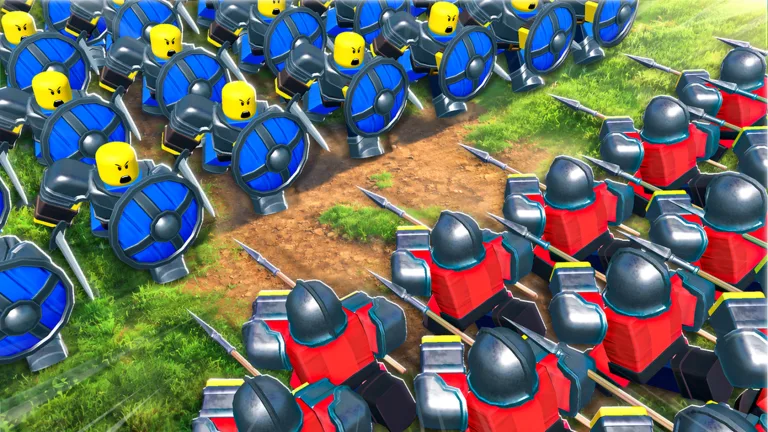
Learn the most efficient strategies to level up your units in Command An Army on Roblox, including server selection, combat tactics, and evolution requirements.
Published: Command An Army Wiki Editorial Team
Video Guide
BEST LEVELING GUIDE In Command An ArmyTable of Contents
Efficient Leveling Strategies
Leveling up units in Command An Army can be a slow process, especially when your troops are easily overwhelmed in active PVP matches. To speed up your progress, the most effective method is to control your environment.
The biggest obstacle to efficient leveling is competing against other players who are actively trying to win. To mitigate this, navigate to the game’s server list and prioritize joining sessions with a very low player count. If possible, use an alt account or play during off-peak hours to ensure you have the map largely to yourself. Before joining, you may also want to adjust your Roblox settings to turn off visibility, which prevents friends from joining your session and disrupting your grind.
Once you are in a low-population server, focus on the Plains map whenever it is available. Community experience suggests this map is optimal for XP farming because it provides open fields that make it easier to track enemy movements and maximize your kill count compared to more restrictive maps like Castle or Fortress, where you often have to wait for doors to open or navigate narrow chokepoints.
Combat Tactics for Maximum XP
The key to gaining XP is securing kills, but your units need to survive long enough to earn them. A common mistake is charging your units directly into enemy lines, which often results in immediate casualties and wasted time.
Instead, adopt a "support" playstyle. When you encounter enemy forces, hold your position and wait for your NPC units to engage first. Let the AI-controlled troops take the initial heat and damage. Once the enemy line is distracted and weakened, command your units to attack. This strategy allows you to secure "easy" kills while keeping your own troops alive.
Tip
If you are using cavalry units like the Scout Rider, utilize the "Rush" ability frequently. It significantly increases your movement speed and damage output, making it easier to secure kills before your horses take fatal damage.
Additionally, remember that the quality of your kills matters. Fighting higher-tier enemy units will reward you with more XP than defeating basic, low-level troops. Always monitor the enemy composition; if you are facing a massive wave, retreat and wait for your own reinforcements to arrive before committing your units to the fight.
The Importance of Evolution and Ascension
XP grinding is primarily a means to an end: making your units powerful enough to dominate in standard PVP. Understanding the two main progression systems—Evolution and Ascension—is vital for long-term success.
Evolution
To evolve a unit, you must first get it to Level 20. Once a unit reaches this milestone, you can visit the Evolve podium (located opposite the Ascension area in the lobby). Evolving a unit significantly boosts its stats and damage output, effectively transforming it into a stronger version of itself. For example, a Scout Rider can evolve into a Cavalryman and eventually a Lancer. Because evolved units are naturally stronger, they can secure kills more easily, creating a positive feedback loop that makes leveling them up further much faster.
Ascension
Ascension is a separate mechanic that allows you to merge duplicate units to increase their base stats, including health and damage. Unlike evolution, which changes the unit type, Ascension simply upgrades the existing troop. To ascend, go to the Ascension tree in the lobby, select a unit, and merge it with a duplicate of the same Ascension tier. Keep copies of units from summon banners rather than deleting them, as you will need these duplicates to progress through the Ascension levels.
FAQ
Does PVP skill affect XP gain?
XP is primarily gained through securing kills. While being a skilled player helps you win matches, the most consistent way to gain XP is by farming kills against NPCs in low-population servers, rather than relying on player-vs-player combat.
Do I need Gems to Ascend units?
No, Ascending units does not cost Gems. It requires merging duplicate units of the same Ascension tier.
Why are some units not evolving?
Not all units in the game have an evolution path. If you do not see a unit in the evolution list, it likely cannot be evolved. Always check the Evolve podium to confirm which units in your collection are eligible.
Is there a way to automate leveling?
The game requires active participation. While some players may try to idle in servers, the most efficient method remains actively farming kills on maps like the Plains by timing your attacks with NPC waves.