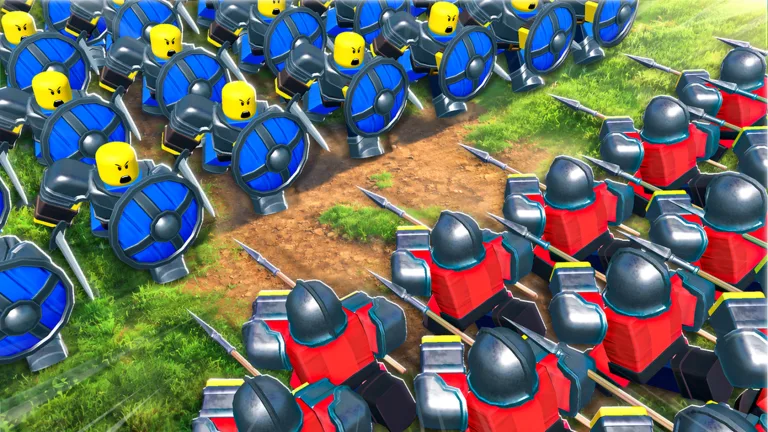
Command An Army Guide: How to Command and Mount Your Units
Master troop control in Command An Army on Roblox. Learn how to effectively command your army, use mounts, and manage formations to win battles.
Published: Command An Army Wiki Editorial Team
Table of Contents
Mastering Troop Commands and Movement
In Command An Army, success on the battlefield relies on your ability to micromanage your units effectively. As a commander, you are not just a spectator; you must dictate the flow of combat. Players report that pressing 'C' allows your troops to follow you, while 'V' is the primary command to engage enemies.
Effective positioning is the difference between a total wipeout and a victory. Community feedback emphasizes that you should avoid mindless charging. Instead, lead your units to favorable terrain, set up defensive lines, and wait for the enemy to overextend. If you are an attacker, use your mobility to hit the flanks; if you are a defender, hold the choke points and keep your formation tight.
How to Utilize Mounts in Battle
Mounts provide a critical speed advantage, allowing you to traverse large maps quickly and respond to enemy threats or reinforce your line. To mount your horse, simply press the 'G' key. This is especially useful for commanders who need to rally their troops or quickly relocate to a different sector of the fortress.
While mounted, you are more mobile, but be careful not to ride too deep into enemy territory alone. According to player experience, a common mistake is rushing into a group of pikemen or archers while on horseback. Use your mount to reach the position, then dismount to command your infantry from a safer distance or to better oversee your unit formations.
Strategic Unit Formation and Counters
Understanding unit counters is essential for late-game success. Not all units are created equal, and bringing the right composition can turn the tide of a losing battle:
Unit Type
Best Against
Strategy
Spearmen
Cavalry, Chargers
Hold position in lines to break enemy charges.
Spartans
Infantry, Mixed Stacks
Use in circle formations to provide a durable defense.
Archers/Crossbowmen
Ranged, Slow units
Position behind spearmen or on walls for high DPS.
Samurai
High-value targets
Use for high-damage bursts, but protect them as they are "squeezy" (low HP).
Always monitor your "star constraint." You cannot bring an infinite number of high-tier units; the game limits your squad based on your level. A common tactic is to focus on evolving or ascending your strongest units rather than leveling up every single troop you summon.
Leveling Up and Army Progression
To level up your units quickly, you must engage in active combat. Passive play yields minimal experience points (XP). The most efficient way to grind is to participate in matches where you actively kill enemy NPCs and player-controlled units. Community reports suggest that staying in the match for the duration of the round also contributes to your unit's total XP gain through "play time."
If you find yourself struggling, check the summoning area frequently. Rare units like Spartans or Samurai significantly outperform basic mercenaries. If you have duplicates, use the upgrade/ascension system to combine them, which will drastically increase your army’s effectiveness compared to basic, non-ascended troops.
FAQ
How do I increase my star limit?
The star limit increases automatically as you level up your commander. Every five levels typically grants an additional star, allowing you to bring stronger or more numerous units into battle.
Why are my troops not responding to commands?
Ensure you are within proximity of your unit squad. If your troops have been defeated, they will have a respawn timer (often 90 seconds). You cannot command troops that are currently dead or on cooldown.
Is there a way to heal my army?
Healing is limited. The best way to preserve your army is to retreat from combat before their health bars drop to zero. Positioning them behind shields or in defensive structures can help mitigate incoming damage while they recover.