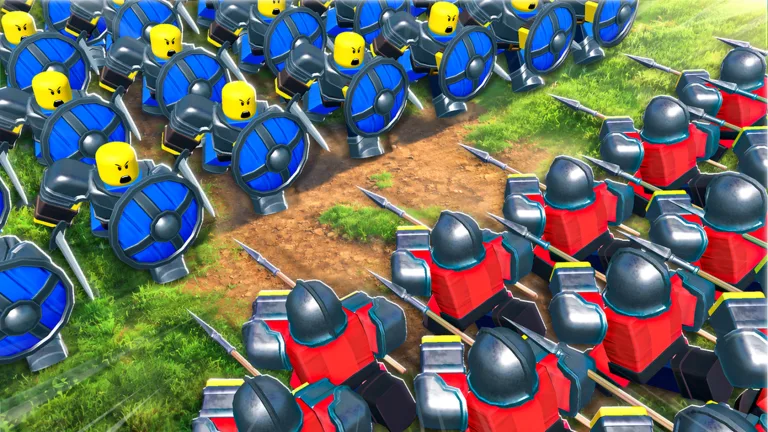
How to Command an Army and Master Summons in Roblox
Learn how to effectively command your army in Roblox, manage unit summons, and use the latest strategies to dominate the battlefield.
Published: Command An Army Wiki Editorial Team
Table of Contents
Mastering Army Summons and Unit Management
In Command An Army on Roblox, building a formidable force requires more than just raw numbers—it demands strategic summoning and effective unit management. To start expanding your roster, head to the "Summons" area located in the game lobby. By interacting with the menu, you can spend Gems to pull for new units.
Community reports suggest that using "Super Luck Potions" before summoning can significantly improve your chances of obtaining rare, high-star units. If you are struggling with low-tier units, prioritize saving your Gems for these bulk summons rather than spending them sporadically. Always check your current inventory space before initiating a large batch of summons to ensure no units are lost.
Strategic Deployment on the Battlefield
Once you have your units, the key to success lies in how you command them during a match. The game allows you to choose between holding a position, charging, or retreating. According to player experience, a common mistake is rushing all units simultaneously, which often leads to being swarmed and overwhelmed.
Instead, utilize a balanced formation:
Frontline: Deploy shielded units to absorb damage and hold key capture points.
Backline: Keep high-damage, low-speed units (like the 5-star Laestrygonian) behind your defensive wall.
Flanking: Use faster units like cavalry to navigate around mountains or obstacles to surprise opponents who are focused on your main force.
Remember that units like the Laestrygonian possess high health and damage output but move slowly. They are high-risk, high-reward units that require support to be truly effective.
Enhancing Units via Skill Trees and Ascension
To turn your army into an unstoppable force, you must engage with the game's progression systems. The skill tree allows you to specialize your units. For example, focusing on attack speed upgrades for archers or damage-per-second (DPS) boosts for melee units can drastically change their performance in the meta.
Tip
Always check the skill tree next to the ascension and evolve menu to see which path best suits your unit's role—don't waste crystals on stats that don't benefit the unit's primary function.
Ascension is equally vital for late-game success. As you level up your units, you will unlock higher star limits, allowing you to field more powerful configurations. If you find your units dying too quickly, it is often a sign that they need to be leveled up or paired with better support units to compensate for their weaknesses.
Staying Updated with Codes
To keep your army growing without spending Robux, stay updated with the latest Command An Army official Roblox page. Developers often release codes that provide free Gems and Skill Crystals, which are essential for rerolling units and upgrading your skill trees.
Be sure to redeem active codes such as GUILDFIX and LAESTRYGONIAN promptly, as these rewards provide a significant head start for both new and returning players. By combining these resources with a disciplined approach to tactical movement, you can effectively control the battlefield and climb the ranks.